Starts from existing subtitles
It prefers sidecar subtitles when they exist, and it can create source subtitles from audio when needed.
A Windows desktop app that creates and translates subtitles for videos across multiple source and target languages. Tutorial videos are a highlighted use case, but the app is not limited to them. The first step is a 7-day trial with no credit card required. If it works in your environment, the next decision is a single fixed-price, one-time license.
The goal is simple: explain what the product does, what it can do today, and how to try it without payment risk.
VoxBridge Studio speeds up multilingual video localization by keeping subtitles, translation and optional Hungarian voice-over inside one structured desktop workflow. It is especially strong for tutorial content, but it is not limited to that use case.
The value here comes from reducing workflow friction, not from adding marketing noise.
It prefers sidecar subtitles when they exist, and it can create source subtitles from audio when needed.
It handles multiple videos, folder-based batches, pause/resume flow and interrupted jobs.
It produces language-tagged SRT files, optional MKV output, run reports and support export.
The subtitle and translation workflow supports multiple source and target languages. Tutorial mode can start with English to Hungarian, but the language selectors are broader.
Source language can be automatic, and target language is selected separately. Outputs
use language-tagged filenames such as VideoName.hu.srt or VideoName.de.srt.
The site follows the same logic as the app: source first, then translation, then optional voice and export.
Load a video, a sidecar subtitle, or audio that needs transcription.
Run translation, timing, profiles and optional ASR or TTS steps.
Save translated subtitles, optional Hungarian voice and the run report.
Multilingual subtitle and translation workflow, Windows desktop app, Hungarian and English UI, multi-video queue, language-tagged SRT export and support export.
Online video import and enterprise team features are not part of this version. The focus is the local subtitle and translation workflow.
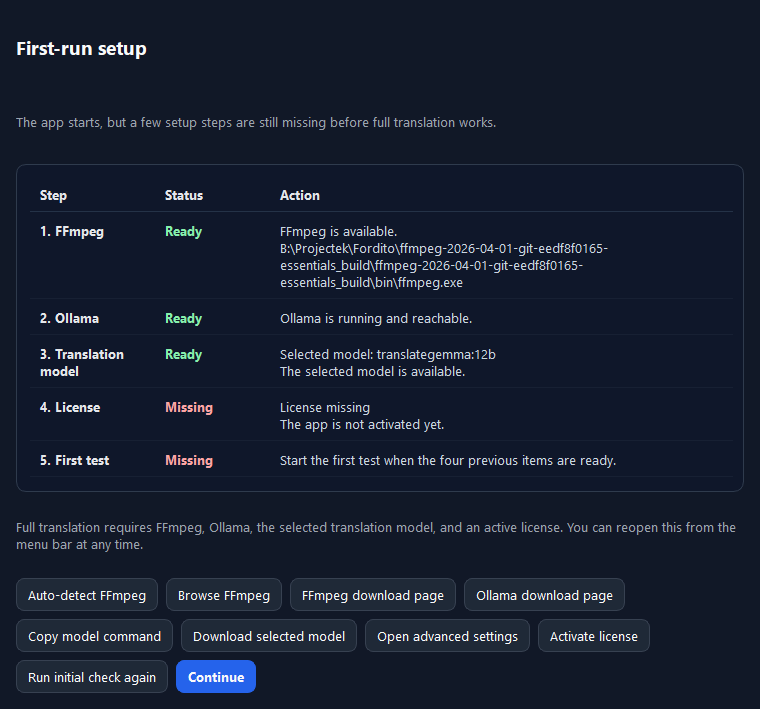
VoxBridge Studio is a tabbed Windows app with file queues, full course folders, subtitles, audio, advanced settings, logs and status feedback in one place.
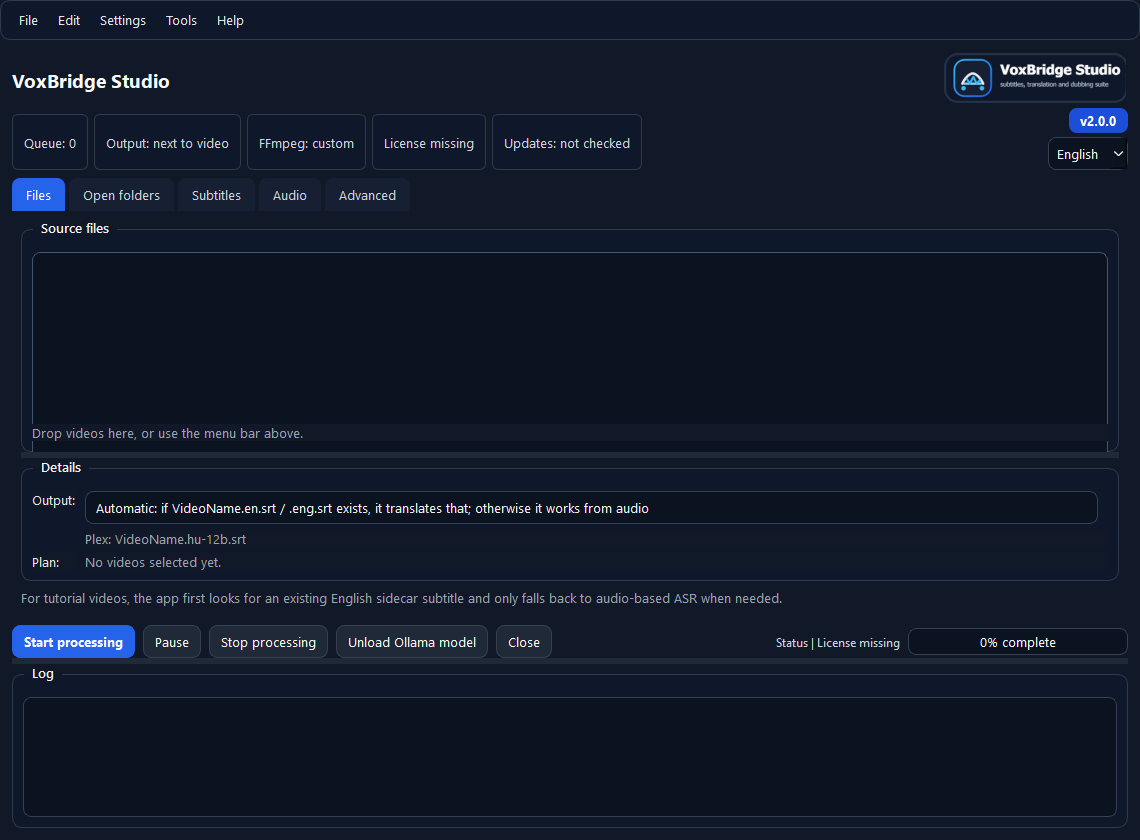
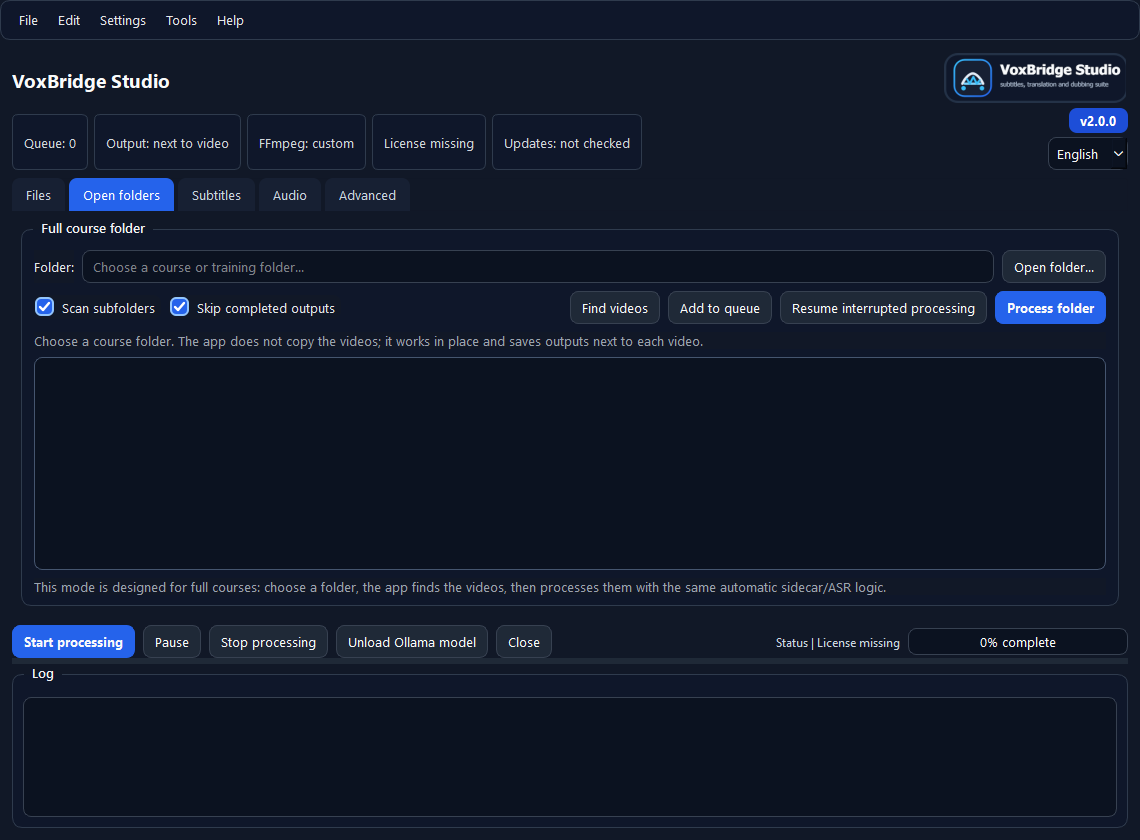
Add videos, save queues, work through subfolders and skip outputs that already exist.
Keep source language, target language, ASR, translation model and workflow profiles in one place.
See FFmpeg, license, progress, logs, setup assistant and support export together.