
Support and troubleshooting

Quick help when something gets stuck

Support export and a short troubleshooting path help you find the first blocker during the trial or license activation flow.

Contact

Support e-mail

The public support channel now uses the provided e-mail address. This is where trial, activation, and troubleshooting questions should go.

Current status Support e-mail: lovaszvilmos@gmail.com
Support level: reasonable e-mail support with no separate SLA
License delivery: by e-mail after successful payment, within up to 24 hours
Support export

What is it for?

The desktop app can bundle technical data, settings and session information to help troubleshoot issues faster. This is especially useful when the issue may be related to the environment or the license state.

  • logs and technical state
  • settings and session data
  • queue list and processing state
  • platform metadata
Portable ZIP startup The first public trial path uses the portable ZIP. After downloading, extract it into a separate folder and start VoxBridge Studio from the extracted folder. Do not run it from inside the ZIP.
If the trial does not start
1. FFmpeg 2. Ollama 3. Model

Most first-launch issues are connected to one of these three items, so start here.

Recommended order: verify setup → run a short test video → create a support export only after that.

If the trial does not start

Quick troubleshooting order

Trial startup usually fails when a local dependency is not ready yet. Check this sequence before sending a support e-mail.

  1. Confirm that the ZIP download completed and was extracted.
  2. Do not run the app from inside the ZIP; start it from the extracted folder.
  3. Rerun the first-run setup assistant.
  4. Check whether FFmpeg is available or configured manually.
  5. Start Ollama and confirm that it responds.
  6. Confirm that the selected translation model is installed.
  7. Try a 1-3 minute, non-private test video.
  8. If it still does not start, create a support export and send it with a short description.
First test

What counts as success?

The first success is not a perfect final result. It is a working language-coded output, for example VideoName.hu.srt or another target-language SRT from a short test video.

  • short test video processed
  • language-coded SRT created
  • no critical error in the log
  • longer material or dubbing can come after this
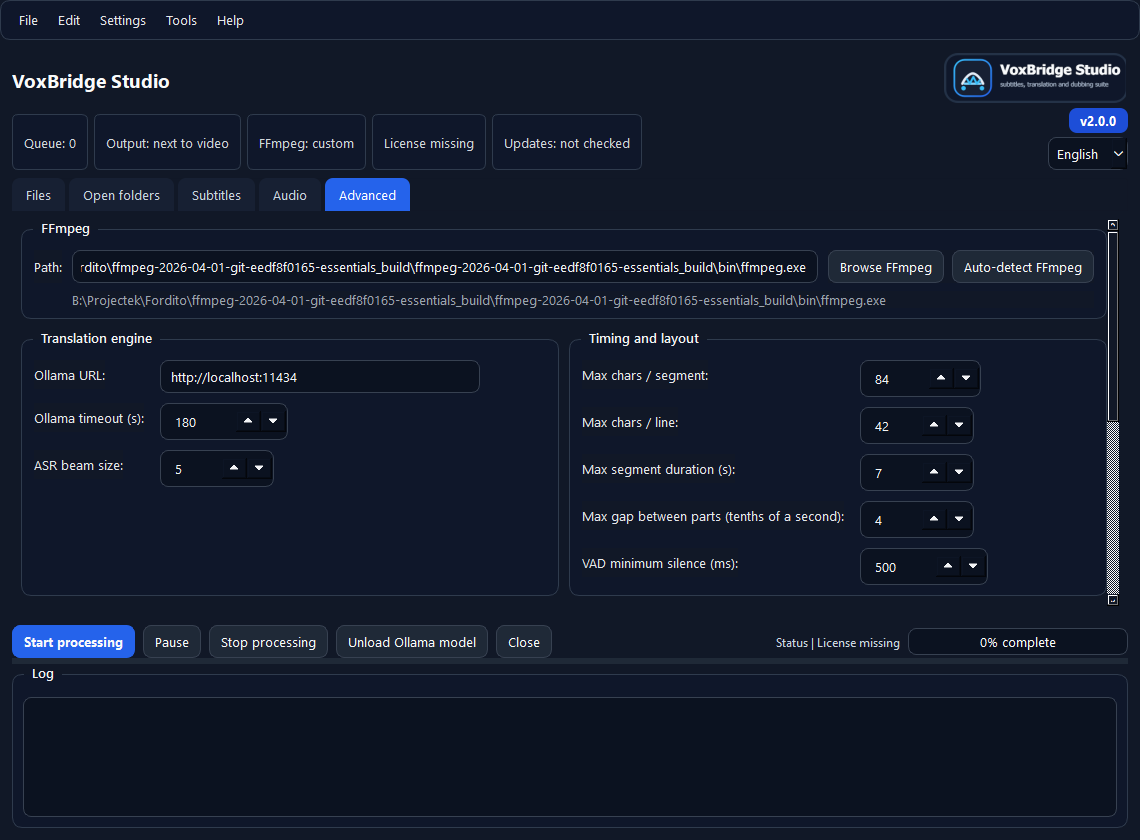
VoxBridge Studio advanced settings and diagnostics
Advanced / diagnostics FFmpeg, engine, license backend, update and diagnostic settings are grouped in one place.

What should you send?

  • Windows version
  • VoxBridge Studio version
  • selected workflow profile
  • FFmpeg, Ollama and model status
  • short reproduction steps
  • support export if it is safe to share
  • whether the 7-day trial or the paid personal license was involved

Common issues

  • FFmpeg not found
  • Ollama not available
  • model missing
  • license activation fails
  • trial startup blocked by the local environment
  • processing gets stuck on a long or problematic source video

What should you not send?

  • do not send private video files if a short test file can reproduce the issue
  • do not send license keys in public channels or visible screenshots
  • do not send a full project folder if the support export is enough
  • do not send screenshots containing personal data without masking it first

What should go into the e-mail?

Support is faster when the issue is short and structured.

  • subject: VoxBridge Studio support - short issue
  • version: for example v2.0.0
  • environment: Windows version, FFmpeg, Ollama, model
  • steps: what you did right before the issue
  • result: what happened and what you expected instead
How support works Support is e-mail based. The personal license is for 1 active machine, so activation and machine-change questions can be handled by e-mail too. The license itself is also delivered by e-mail after successful payment, and if it does not arrive within 24 hours, the same support address is the next step. Once setup and the short test work, the next step is not support anymore, but the license decision.